
API overview
Authenticate with the Andesine API, read current and published content, and handle limits and errors.
The Andesine API is an HTTP API with JSON requests and responses. Use it to read and change content, manage publishing, search, get AI answers, and manage webhooks. The base URL is:
All operations, with their fields and examples, are in the API reference. In TypeScript, use the SDK. From a terminal or a script, use the CLI.
Authentication
Send a credential as a Bearer token:
There are three kinds of credentials:
Credential | Format | Use |
|---|---|---|
Secret key |
| Servers, scripts, and CI. Has the permissions that you choose. |
Publishable key |
| Browsers and site builds. Reads and searches published content only. |
OAuth access token | — | Apps that act for a user, with the user's permissions. |
Keys belong to one workspace. With an OAuth token, send the workspace ID in the x-workspace-id header.
Create a key
Go to Settings → API → Credentials. You need a role with the API keys permission.
Secret keys: select the access to each area: None, Read, or Write for Collections, Entries, Versions, Publishing, People, Roles, and Webhooks, and whether the key can use AI answers. Give each key only the access that it needs. Keep secret keys on servers; never put them in browser code.
Publishable keys: select the Collections that the key can read, the Allowed origins of your sites, such as https://docs.example.com, and whether it can use AI answers. Browsers can use the key only on its origins. Requests without an Origin header, such as a site build on a server, are allowed. localhost is always allowed.
The key is shown once after you create it. Select Copy key and store it safely. To replace a key, select Rotate key and choose when the old key stops working: now, or after 1 hour, 24 hours, or 7 days.
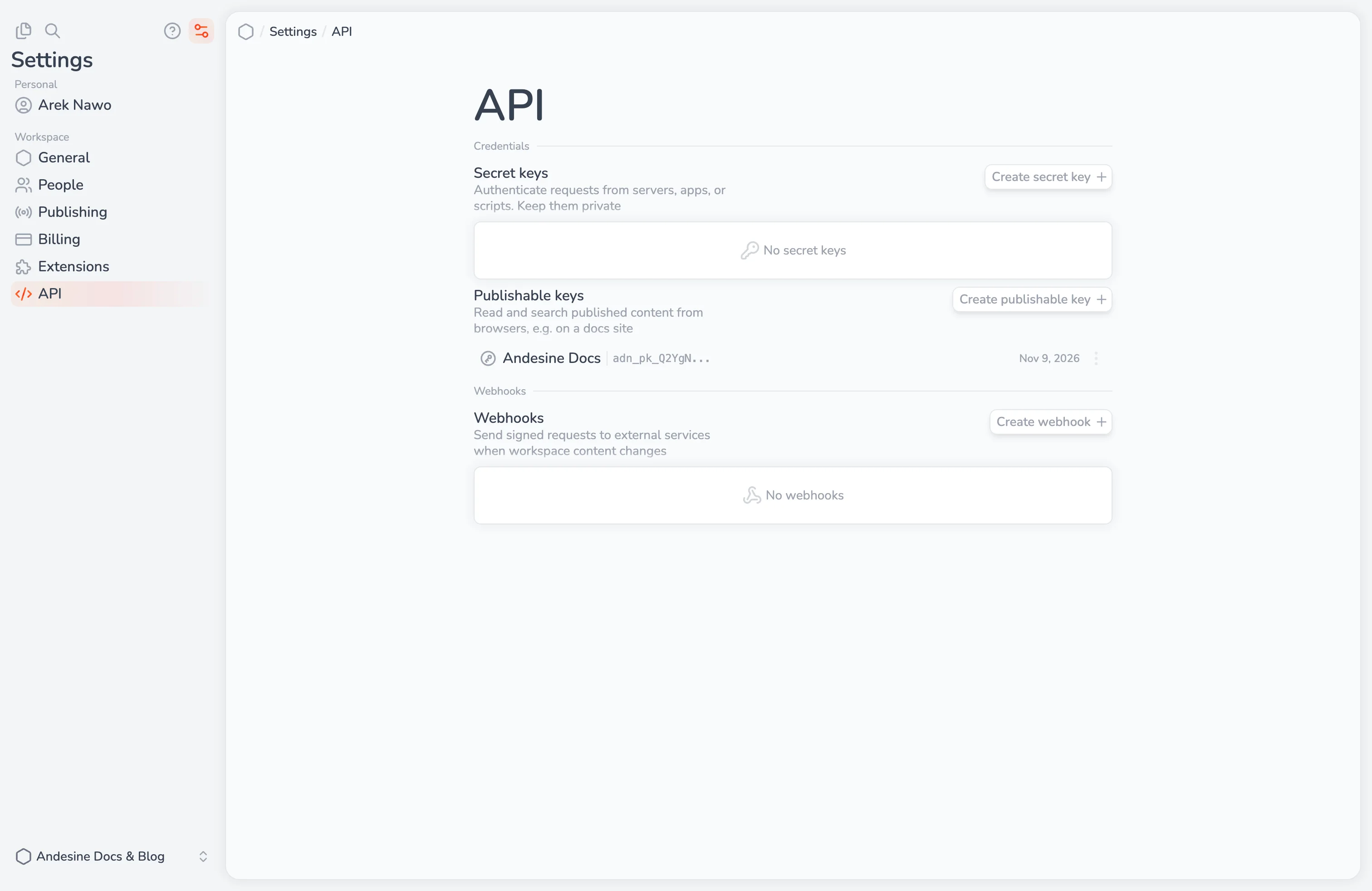
Current and published content
Current content is what editors see. Read it with the entries and collections operations. This needs a secret key or OAuth.
Published content is what is on a channel. Read it with the content operations, such as
content.getTree,content.get, andcontent.listEntries, and thechannelfield, such aspublished.
Published reads return a snapshotID: the state of the channel at that moment. Pass it to later reads to get content from the same publish, also when someone publishes again in between. Snapshots expire after some time.
Content is returned as a JSON document. Set contentFormat to mdx to also get it as MDX. To convert the JSON to Markdown, HTML, or other formats, use the converters. Properties and fragments are returned by keys made from their names, such as releaseDate for Release date.
Search and AI answers
search.publishedandsearch.currentsearch content. Setsemanticto search by meaning; a semantic search uses 1 AI credit.search.askPublishedandsearch.askCurrentanswer a question from the content, with numbered sources. Each answer uses 10 AI credits. Stream answers with theStreamvariants.
AI answers need a key with AI answers allowed. Questions can have up to 1,000 characters, and you can send up to 10 earlier messages as history.
Limits
Rate limits count the requests of each credential in one-minute windows:
Requests a minute | Free | Pro |
|---|---|---|
All requests | 600 | 6,000 |
AI answers | 60 | 600 |
Semantic search | 300 | 3,000 |
Each workspace also has monthly API calls and AI credits. See Plans and billing.
When a request reaches a limit, the API returns 429 with the code TOO_MANY_REQUESTS, a Retry-After header, and data.limit: rate, api-calls, ai-credits, or spending. Only rate limits pass within a minute; do not retry the others automatically.
Responses have headers with the current state of the limits:
X-RateLimit-Limit,X-RateLimit-Remaining, andX-RateLimit-Reset.X-API-Usage,X-API-Usage-Limit, andX-API-Usage-Reset.X-AI-Credits,X-AI-Credits-Limit, andX-AI-Credits-Reset.
Errors
Errors have an HTTP status and a JSON body with a code, a message, and a data object. data.hints often explains how to fix the request. Use the code in your code, not the message.
Pagination
Lists return up to 50 items by default, and up to 100 with limit. Pass pagination.nextCursor as cursor to get the next page. A null cursor means the list is complete. For published lists, also pass the snapshotID of the first page.
Safe retries
Creating and updating entries, and creating versions, accept an Idempotency-Key header. The API applies a key once and returns the first result for 24 hours, so a retried request does not apply a change twice.
Content reads return an ETag. Send it in If-None-Match to get 304 Not Modified when the content has not changed.