
Roles and permissions
Use the default roles, create custom roles, and give roles in restricted collections.
Each member has one role in the workspace. The role sets what the member can see and change. Go to Settings → People → Roles & permissions to manage roles. Custom roles need the Pro plan.
Default roles
Each workspace starts with these roles:
Role | Can |
|---|---|
Admin | Everything. This system role cannot be edited or deleted. |
Developer | Edit content, publish, and manage API keys. |
Editor | Edit content and publish. |
Viewer | Read content. This system role cannot be edited or deleted. |
You can edit the Developer and Editor roles, or delete them.
Permissions
A custom role has a level for each permission: None, View, or Manage. Content, Publishing, Extensions, Members, Roles, and Workspace have only View and Manage, so all members can see them.
Permission | Manage lets the member |
|---|---|
Content | Create, edit, and delete entries and collections |
Publishing | Enable publishing and manage publishing channels |
Restricted collections | View restricted content and manage restriction boundaries |
API keys | View or manage workspace API credentials |
Billing | View or manage subscriptions and payments |
Webhooks | View or manage webhooks |
Extensions | Install, configure, and remove workspace extensions |
Members | Invite and remove members, manage groups, and assign permitted roles |
Roles | Manage custom roles within your own permissions |
Workspace | Manage workspace settings |
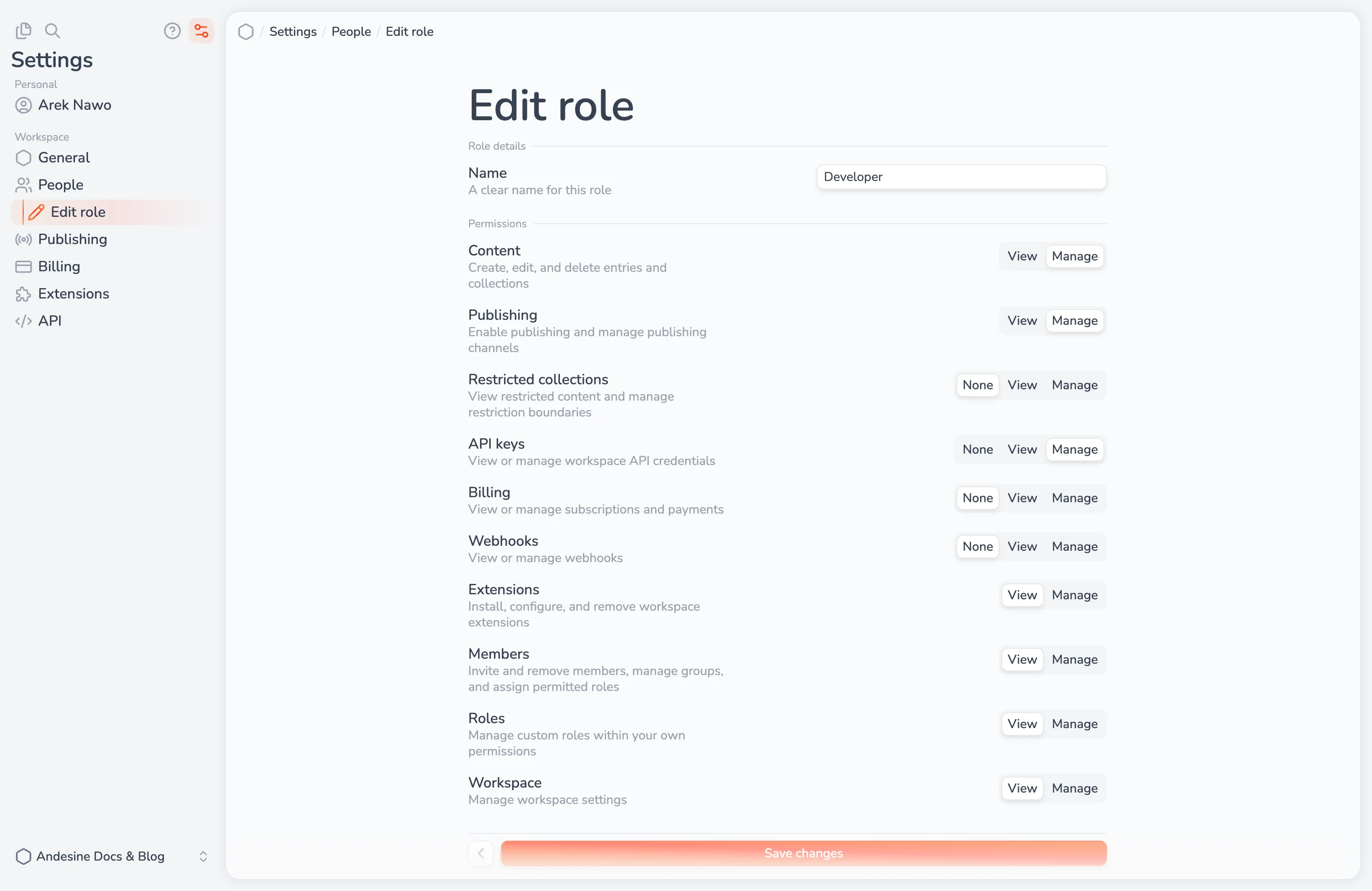
Create a role
Select Create role.
Type a name, such as
Content manager.Set the level of each permission, and select Create role.
You cannot give a role more permissions than your own role has.
When you delete a role, its members and pending invitations move to the Viewer role.
Roles in restricted collections
A restricted collection is visible only to members whose role has the Restricted collections permission, and to the members and groups that you add to it. When you add a member or a group to a restricted collection, you give them a role for that collection only. For example, a Viewer in the workspace can be an Editor in one restricted collection.
Apps and keys
Apps that you connect, such as AI apps through MCP, act with your permissions. They cannot do more than you can. API keys have their own permissions, which you set when you create the key. See API overview.