
Schemas
Give the entries of a collection the same properties and content areas.
A schema gives all entries in a collection the same structure. For example, a Changelog collection can give each entry a Version property, a Release date, and a Summary and Content area. The API and your sites then get the same fields from every entry.
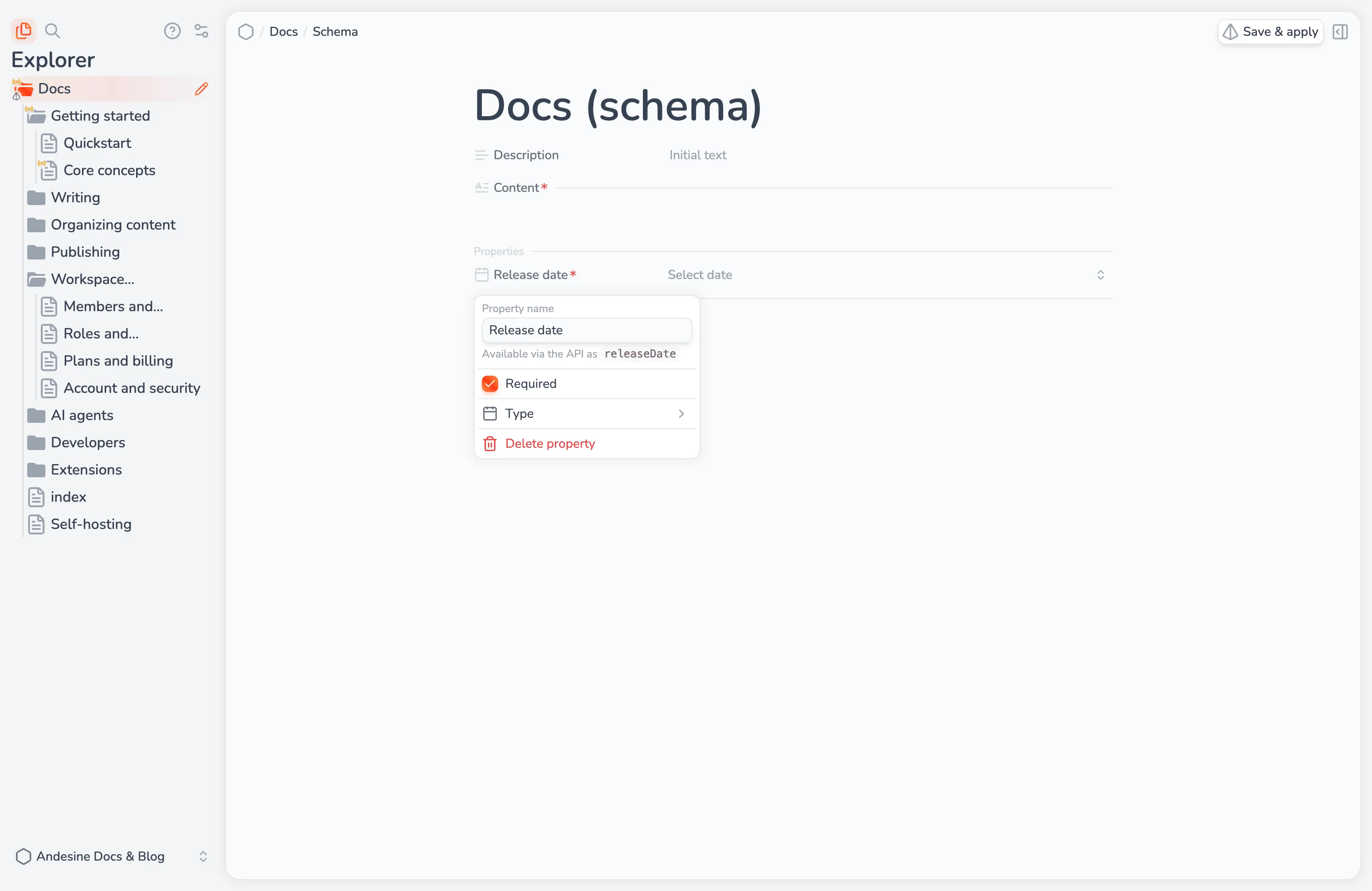
Fields
A schema has two kinds of fields.
Properties hold one value:
Type | Value |
|---|---|
Text | A short text |
Number | A number |
Checkbox | On or off |
Date | A date |
URL | A link |
Select | One option from a list that you set |
Multi-select | Any options from a list that you set |
Fragments are named areas of rich content, such as Summary and Content. For each fragment, you can set:
Allowed blocks: the blocks that writers can use in it, for example only paragraphs and lists. Paragraphs are always allowed.
Initial content: content that new entries start with, such as a template with headings.
Each field is required unless you make it optional. Writers add optional fields to an entry from the slash menu, under Optional fields.
Add or edit a schema
Open the menu of a collection and select Add schema, or Edit schema for a collection that has one.
Type
/in the schema editor to add properties and fragments. Select a field to change its name, type, options, and settings.Select Save & apply.
The schema editor is shared: other members who edit the same schema see your changes live. Entries do not change until you apply the schema.
Apply a schema
When you apply a schema, Andesine converts all entries in the collection, and in the collections inside it, to the new structure. This is a schema migration. The explorer shows its progress: Migration queued, Applying schema, and then Schema applied. During the migration, you cannot change the entries of the collection.
Check the changes before you apply them:
Renaming a field keeps its content.
Removing a field removes its content from the entries.
Changing the type of a property can remove values that do not fit the new type.
Content that is not inside a field is removed.
Andesine saves a version of each entry before it converts the entry, so you can get removed content back from the entry's versions. If a migration fails, Andesine restores the converted entries and shows Schema migration failed.
You must be online to apply a schema.
Inheritance
Collections inside a collection with a schema inherit its fields. Inherited fields show Inherited from parent schema. You cannot change inherited fields in a child collection, but you can add a schema to the child collection to add more fields.
When you remove a schema, the collection keeps the fields that it inherits from its parent collections.
Schema versions
Andesine saves a version of the schema each time you apply it. In the versions of a schema, you can rename a version, or select Revert & apply to apply an earlier version again.
Schemas in the API
The API returns each property by a key made from its name, for example releaseDate for Release date. Fragments return their content as a JSON document, or as MDX. To get TypeScript types for your schemas, see Content types.