
Webhooks
Get HTTP requests when content changes or is published, and verify them in your server.
Webhooks send an HTTP request to your server when something changes in the workspace. Use them to rebuild a site after a publish, update a search index, or notify a chat.
Create a webhook
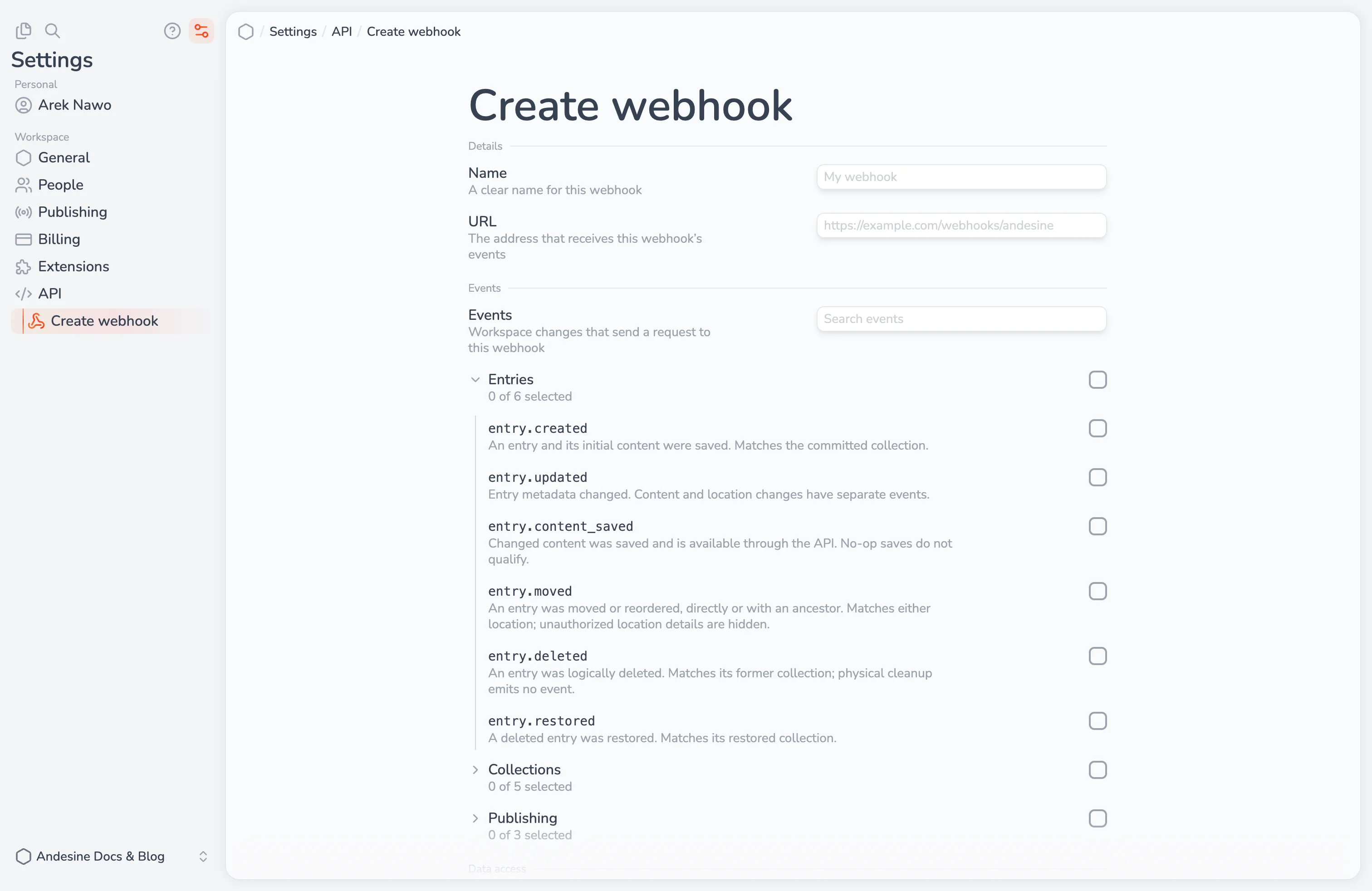
Go to Settings → API → Webhooks and create a webhook. You need a role with the Webhooks permission.
Field | Description |
|---|---|
Name | A name that helps you find the webhook |
URL | The |
Events | The events that the webhook sends |
Data access | The collections and channels that the webhook reports, and whether it includes restricted content |
After you save, Andesine shows the signing secret (whsec_...) once. Store it in your server's secret storage.
You can also manage webhooks with the API and the SDK (client.webhooks), and send a test event with webhooks.sendTest.
Events
Event | Sent when |
|---|---|
| An entry is created |
| An entry is renamed or its details change |
| The content of an entry is saved |
| An entry is moved |
| An entry is deleted |
| A deleted entry is restored |
| A collection is created |
| A collection is renamed or its settings change |
| A collection is moved |
| A collection is deleted |
| A deleted collection is restored |
| New content is published to a channel |
| A channel is created |
| A channel is deleted |
To rebuild a site after each publish, use publishing.channel_advanced.
Each event has an id, a type, the time (occurredAt), the workspaceID, a subject (the entry, collection, or channel that changed), the event data, and an actor: the member, API key, extension, or app that made the change, or null for changes by Andesine.
Verify requests
Each request is signed with your secret. Always verify the signature before you use the event. With the SDK:
The signature covers the webhook-id and webhook-timestamp headers and the raw body, with HMAC-SHA256. The signature is in the webhook-signature header, in the form v1,<signature>. Verify the raw body, not parsed JSON. Requests older than five minutes are rejected.
Deliveries and retries
Return a
2xxstatus quickly, and do slow work in the background.If your server does not return
2xx, Andesine tries again later, with longer delays between attempts. After repeated failures, it disables the webhook. Fix the server and enable the webhook again.An event can arrive more than once, and events can arrive in any order. Use the event
idto skip duplicates.Events tell you that something changed. Read the current state from the API when you need it.
Select See events on a webhook to see its deliveries, their responses, and to send an event again.
Rotate the secret
Select Rotate secret and choose when the old secret stops working: now, or after 24 hours. During the 24 hours, Andesine signs requests with both the old and the new secret, so you can update your server without missing events.